
Your situation
Who response and recovery is for
Your website is affected right now, or you want a plan ready in case it does. Either way, the work covers the steps after an attack: contain the damage, remove the malware, restore a clean version and close the gap the attacker used. Whether your website or WordPress site has been hacked: we repair your WordPress installation and tell you what to do next. The order is fixed: containment, clean-up, recovery. If you have a maintenance plan with us, you know who gets in touch in an emergency.
- Redirects
- Your site sends visitors to strange pages
- Warnings
- Search engines or browsers warn about your site
- Signs of intruders
- Unknown admin accounts or files appear
- Preparing
- You want a plan before an attack happens
The process
What happens in an emergency, in order
We stop the damage first, because cleaning a site that is still under attack only buys the attacker time. Logs, the server’s records, and infected files are saved before the clean-up, as they show how the attack happened and which gap has to be closed. Each step is documented, so the report at the end shows what happened and what changed. Response and recovery is part of our cybersecurity services, next to the audit, protection and monitoring.
-
First response
Situation assessed, access secured and you informed.
-
Containment
Site isolated or put into maintenance mode, where visitors see a notice instead of the page, to stop the damage.
-
Clean-up
Malware we found, backdoors (hidden ways in) and rogue accounts removed.
-
Restore
A clean version restored on a test copy and tested. It goes live once the entry point is closed.
-
Root cause
Logs analysed to find the entry point.
-
Hardening
Entry point closed and protection strengthened.
Collaboration
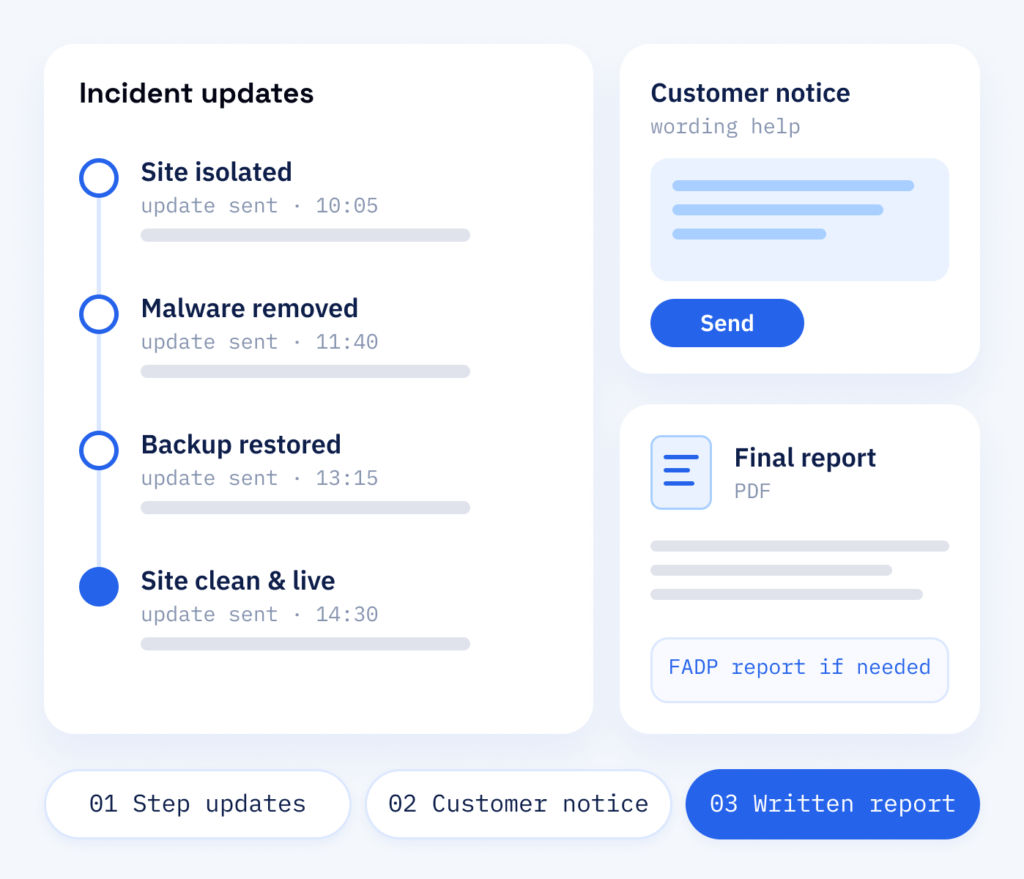
Clear updates during an incident
During an incident you need to know what is happening and what comes next. Tell us what you see and who has access. We keep you posted after each step, say what you should tell your customers and hand over a final report once the site is clean again. RankExperts, our brand for online marketing and content, helps with the wording of customer notices.
If personal data was affected, we help you with the report to the Federal Data Protection and Information Commissioner that the Swiss FADP may require. Years later the recovery plan still names who answers, where the backups are and how a restore is tested, because we review it within our WordPress maintenance.
- An update after every step
- Help with what to tell customers
- A final report for your records
The outcome
What you get after an incident
While an attacked site stays online, it can send spam in your name, trigger browser warnings and lose orders. A planned response limits that damage, brings back a clean version and closes the gap the attacker used, so that route does not stay open. Our guide to the first steps after a hack shows what you can do yourself right away.
For your website
- First steps to contain the attack
- Malware found and removed, a clean site restored
- The entry point searched for and, once found, closed
- Your site back from checked data
For your records
- A written incident report
- A recovery plan for next time
- Logs and findings on record
- A basis for any report you may have to make
What you can expect
Emergency help from ScaleAble
We develop and maintain WordPress websites, so we know where to look for backdoors, rogue accounts and changed files.
-
A fixed order
A fixed sequence of steps keeps the response focused, even when the pressure is high.
-
Looking for the cause
We look for how the attacker got in and close that path, so the clean-up has a better chance of lasting.
-
Traces documented
Logs and findings are recorded, which helps if you have to report the incident or inform customers.
-
Prevention afterwards
After the incident we harden the site and set up backups and monitoring.
Weighing it up
Restore at once, or check the backup first
After a break-in, hold off on restoring the latest backup. If it was made after the attacker got in, it brings the backdoor straight back, so we check a backup before restoring it.
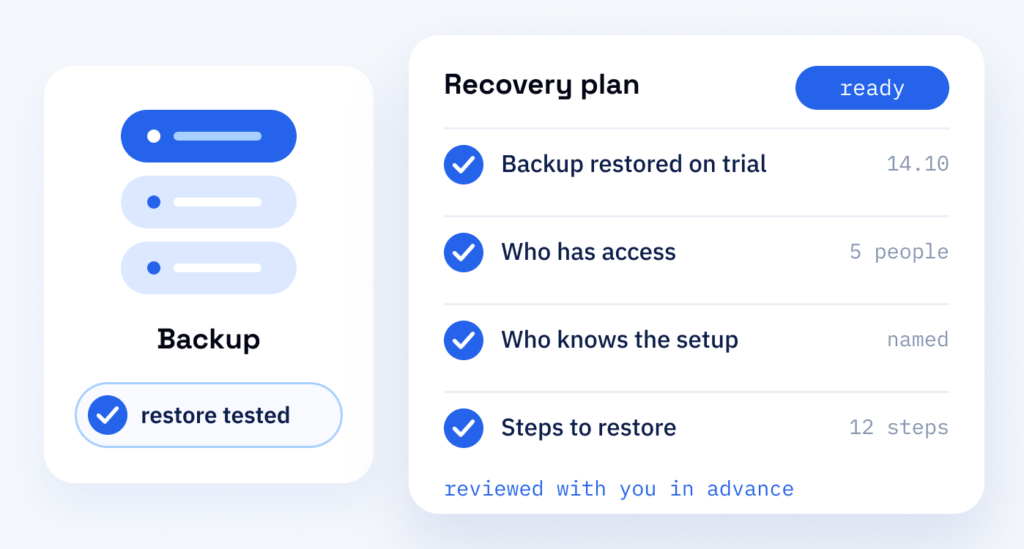
How well a website recovers depends on what was prepared: a backup that has been test-restored, a list of all access points and someone who knows the setup. Without these, an attack turns into a search for passwords and old files while the damage continues.
We put these things in place ahead of time and go through them with you, so a restore follows a known plan.
Cost
The cost of response and recovery
-
Fighting off the attack
Fighting off and cleaning up an attack is chargeable. How much depends on its severity and depth, and we tell you as soon as we know the situation. For a recovery plan, the cost depends on how your site is backed up today and who has access.
-
Cause, traces, customers
Finding the cause, securing the traces and informing your customers are easy to overlook. Skip the search for the cause, and the site may be back online with the entry point still open.
-
Afterwards
Regular backups with a tested restore and monitoring, plus the review of the recovery plan in your maintenance plan.
After the clean-up
After recovery, protection
Once your site is clean, we close the entry point, harden WordPress and tighten access while the details of the incident are still fresh. The lasting measures come from our website protection and threat monitoring. We also take a full backup of the running site before a relaunch.
Part one
Recovery
First response, clean-up and a clean restore that brings your website back online.
- Site contained and traces secured
- Malware we found, backdoors and unknown users removed
- A clean version restored and tested
Part two
Protection
Hardening and access rules against the gap the attacker used and similar routes.
- All passwords changed and two-factor login switched on
- Outdated plugins updated or replaced
- Regular backups with a tested restore