
Where it starts
Numbers you can act on
Many websites collect data that nobody looks at. At RankExperts, web analytics starts with your business goals and the few events that count: enquiries, purchases, downloads.
- Unclear channels
- Nobody knows which channel brings enquiries
- Contradictions
- Your analytics show numbers that don’t add up
- Old tracking
- Tracking was set up years ago and never checked
- Reports without effect
- Reports exist, but nobody acts on them
The steps
How your tracking plan takes shape
Good web analytics starts with the right questions. Before adding a single tag (a measuring point on your website), we write down the questions the data should answer, and whatever does not serve them stays out. Then we set up the tracking: with Google Tag Manager, which controls what is recorded, and GA4, Google’s analysis tool. We test and document it and finish with reports that end in clear recommendations. Consent, collecting only the data you need and clear documentation are part of it from the first day.
-
Goals
The business questions your data should answer, and what success means for you.
-
Tracking plan
Events, parameters and conversions (the actions that count as a result) set down in one document, so it is clear what gets measured.
-
Setup & consent
Tag Manager and GA4 set up so that your visitors’ consent is respected.
-
Dashboards
A handful of reliable figures in one clear view.
-
Reports
Regular summaries in plain language that show what works and where there is potential.
-
Recommendations
Concrete next steps for pages, campaigns and budgets.
Day to day
Data your whole team can read
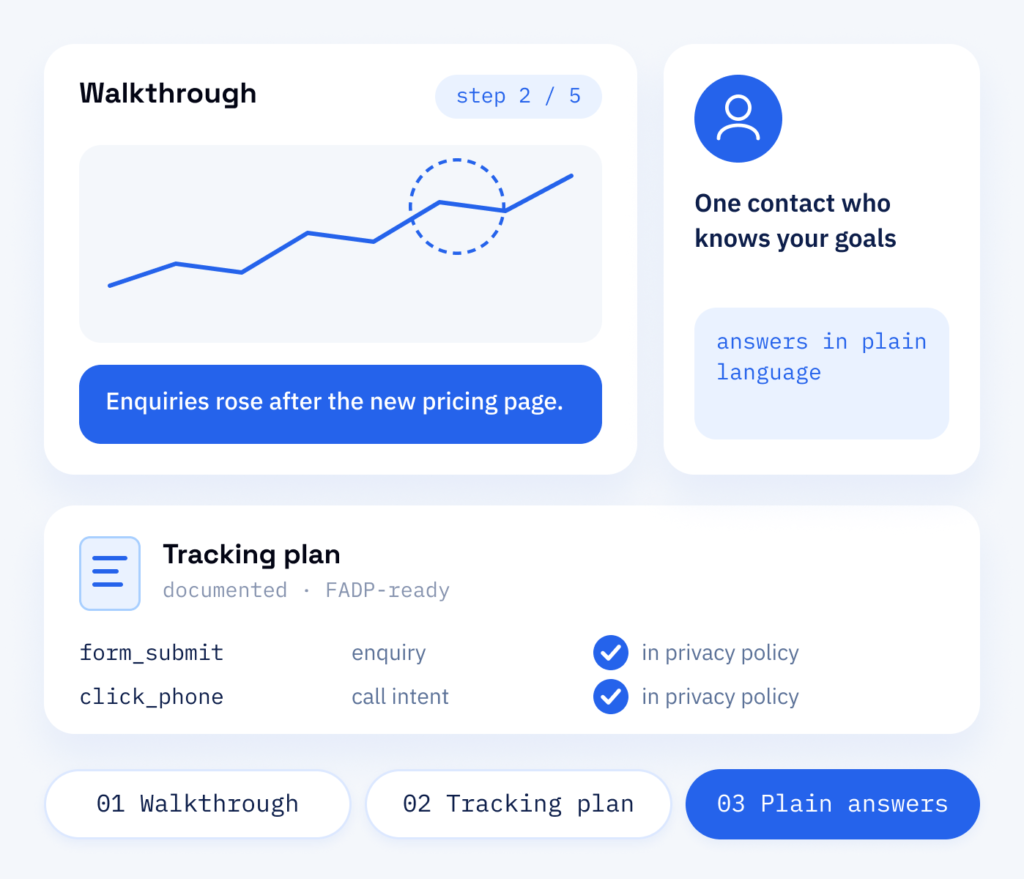
Dashboards are only useful if people open them. We walk your team through the setup, explain every figure in plain language and document the tracking plan, so new colleagues can build on it later. We record what is collected, so your privacy policy can name it. Web analytics is part of our digital marketing. Your figures are read by someone on our team who knows your goals, and the tracking plan grows with every new page and campaign.
- A walkthrough of every dashboard
- A documented tracking plan
- Answers in plain language
Your benefit
Decisions based on data
Conversion tracking measures the enquiries and orders that count: it shows where visitors come from, where they drop off and what turns them into customers. If you are having Google Analytics set up, that is the first thing to decide. Without tracking, budgets rest on guesswork and redesigns on personal taste. With it, you can invest more deliberately in what works and close the gaps.
For the setup
- A tracking plan tied to your business goals
- A GA4 and Tag Manager setup with consent handling
- Events checked with real test submissions
- Documentation of what is collected and why
For decisions
- A dashboard with the figures that matter
- Reports with concrete recommendations
- Clear views and clear language in every report
- Search data from Search Console, Google’s report on your visibility, right next to GA4
What sets us apart
What RankExperts adds to web analytics
We set up tracking together with the ScaleAble developers who build and look after websites. So the events sit in the code and are tested with real form submissions and orders. Our case studies show which websites and shops come out of this.
-
Events tested first
We check every event with real test submissions before it shows up in a report.
-
Google consent mode included
Google consent mode passes the choice made in the cookie banner to the Google tags. The tracking is documented, and you know what is collected and why.
-
Search data included
Data from Search Console sits next to GA4, so you see how people find you and what happens next.
-
From insight to change
Designers, developers and copywriters of both brands can act on the findings without a new agency briefing.
What to measure
Measure what prompts a decision
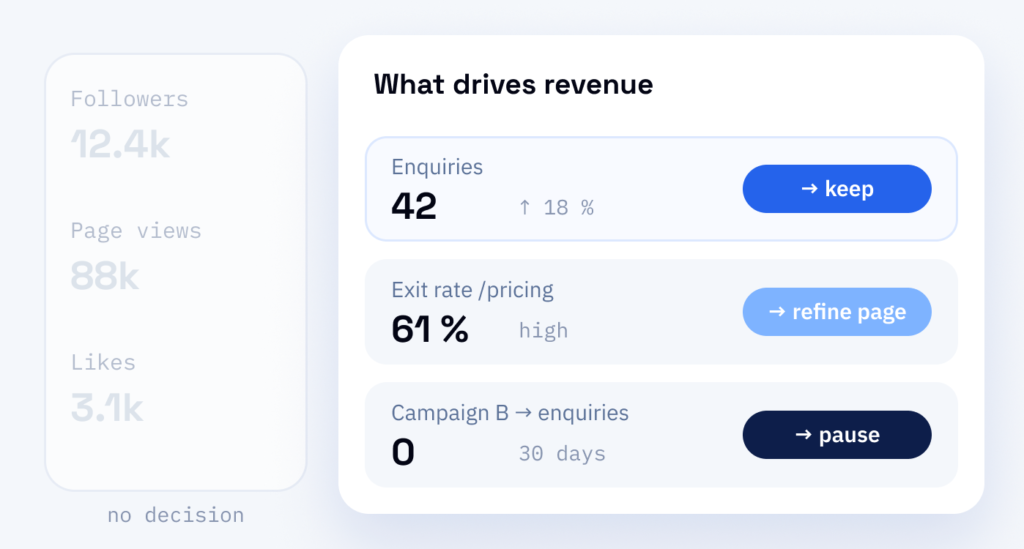
Follower counts and raw page views give a sense of progress while the strategy stays the same. What is worth recording is what leads to a next step: improving a page where visitors drop off, pausing a campaign that brings no enquiries, moving budget to the channels that do.
If a figure cannot prompt a decision, it does not belong on your dashboard. Recording everything at once achieves little, because the clutter hides what works. We would rather measure less and be able to rely on it, because a handful of figures you can check is worth more than a dashboard full of guesses.
Budget
Scope first, then the price of web analytics
-
Events and parts
The scope is set by the number of events we should measure and by whether you want the tracking plan, setup and reports together or separately. We work this out together with you.
-
The privacy policy
What is collected should be named there, so the documentation is part of the tracking plan from the outset.
-
The growing plan
New pages and campaigns bring new events, and the plan grows with them. Regular reports with recommendations are agreed with you as a separate part.
After the report
A report turns into a change
Web analytics only helps when someone acts on it. If the data shows a weak page or a form that loses enquiries, our marketers and developers improve it and measure the effect.
Part one
Tracking, also server-side
A measurement setup with consent handling and reports your team understands. Where it fits, we add server-side tracking, in which data runs through a server container in Tag Manager, so details you do not need can be removed.
- Events for forms, phone clicks, purchases and downloads
- GA4, Tag Manager and Search Console connected
- A dashboard built around your goals
Part two
Optimisation
The findings turned into concrete changes on your website and in your campaigns.
- Landing pages and forms improved where visitors drop off
- Campaign budgets shifted to channels that bring enquiries
- Every change measured against the previous version