What we do
Cybersecurity in four areas
An audit, a structured check of your site, shows where you stand today. Protection and monitoring come next, and a plan is ready for the day something goes wrong. Each area builds on what the one before it found.
-
WordPress security audit
A WordPress security audit shows where your website can be attacked today, which matters most if nobody has checked it in years or you took it over from someone else.…
-
Internal & external website protection
Internal and external website protection comes in when bots keep trying your login or everyone in your team signs in as admin. Cloudflare filters many attacks before they reach your…
-
Threat monitoring
Threat monitoring helps if you currently learn about problems on your WordPress site from your customers. We watch the site for signs of an attack, such as failed logins, new…
-
Response & recovery
If your WordPress website has been hacked, response and recovery comes down to the right order. We contain the damage, remove the malicious software (malware), restore a clean version and…
-
Cloudflare WAF and DDoS protection for WordPress
Cloudflare WAF and DDoS protection for WordPress and WooCommerce sites: we set up the web application firewall, rate limiting and bot management, and review the rules on a fixed cycle…
Who we are
Security from WordPress developers
The risks on a WordPress site tend to sit in the same places: outdated plugins, weak logins, too many administrator accounts and missing backups. We know them because we design, develop and look after WordPress websites. We close the gaps we find and keep monitoring the site afterwards.
- Audit
- Looks for weak spots
- Protection
- Firewall and access rules
- Monitoring
- Changes seen early
- Recovery
- Restore from a checked backup
Principles
Three security principles
-
Risks named with priority
We show you which risks exist, which matter most and what it takes to reduce them. You then decide with the full picture.
-
Several layers
Updates, access rules, a web application firewall (a filter in front of your website), monitoring and backups each cover what the others miss. That makes it less likely that one gap opens up the whole site.
-
Prepared in advance
We agree backups, contacts and recovery steps before anything happens. In an emergency we work in a set order: containment, clean-up, recovery. The maintenance plan sets out who answers and what you receive.
The idea
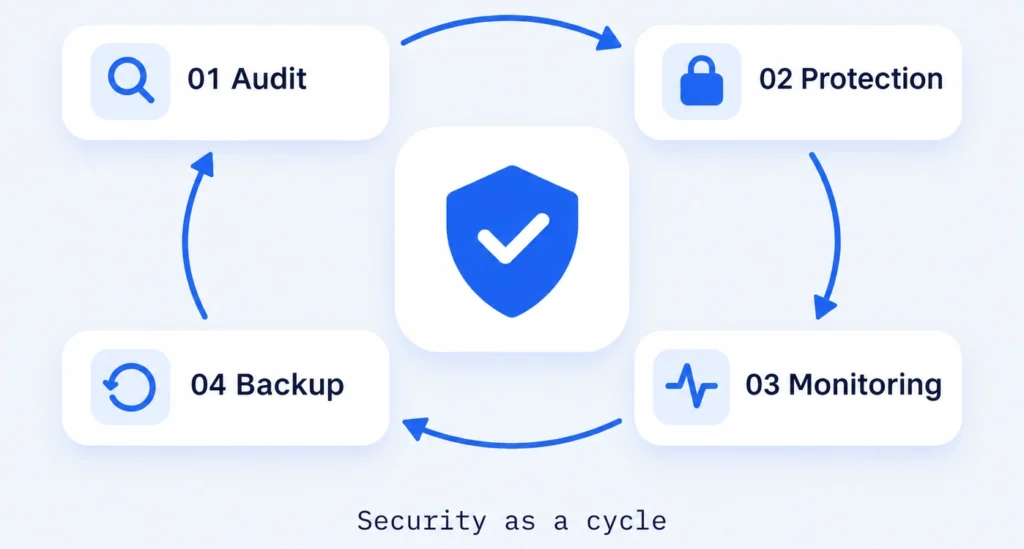
Security as a regular cycle
Websites keep changing with new plugins, users, content and attack patterns. A check from last year says little about today's risks, and a security plugin on its own only acts once traffic has reached WordPress.
So we treat security as a cycle: a security audit uncovers weak spots, website protection deals with them, monitoring tracks changes and checked backups stand ready for response & recovery. In front of the server we place Cloudflare. Working as a firewall and CDN (a network of servers that delivers pages from closer to the visitor), it filters malicious traffic, bots and attacks on the login before they reach WordPress. Updates and backups remain part of your maintenance plan. Our Poolroboter case study shows how this cycle works on a running shop.
Several security plugins at once can do more harm than good: they block each other, slow down the admin area and make errors hard to trace. The same cycle carries on later within our WordPress maintenance plan.