
Where you stand
Spot attacks early instead of hearing from customers
Many attacks leave traces before the site visibly breaks: failed logins piling up, a new admin account, a changed file, spam leaving your forms. We watch for these signs so attacks are noticed early, separate real warnings from harmless noise and act while the problem is still small.
- Told too late
- You learn about problems from customers
- Attacked before
- The site has already been attacked once
- Nobody looking
- Nobody checks logs (the site’s records) or login attempts
- Orders and accounts
- Your site handles orders or customer accounts
How it runs
Setting up monitoring
First we record how your site usually behaves, its logins, traffic and file changes, so that anything unusual stands out. Then we set rules that fit and adjust them after every alert, so alerts stay rare and relevant. An alert that fires all the time gets ignored, which is why we keep the rules that point to real risk and remove the rest.
-
Baseline
Normal logins, traffic and file changes recorded.
-
Setup
Checks for users, files, logins and traffic put in place.
-
Alert rules
Thresholds and contacts agreed for each type of alert.
-
Triage
Triage means sorting each alert: real threat, false alarm or one to watch.
-
Reporting
Regular summaries of what happened and what we did.
-
Tuning
Rules adjusted so the next alert is more precise.
Who hears what
Alerts that reach the right people
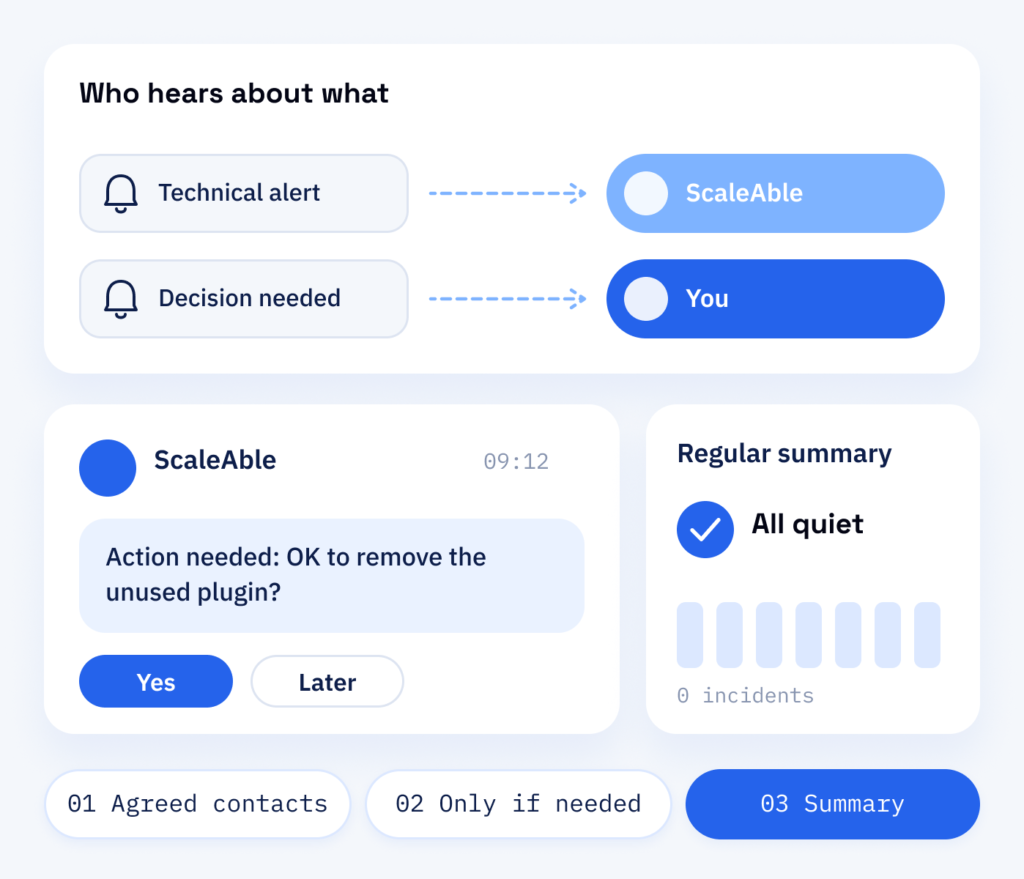
Up front, we decide together who should hear about what. We handle the technical alerts, and decisions stay with you. Each type of alert gets a next step and a clear owner, so nothing waits unread in an inbox.
You get short updates when something needs your attention and a regular summary when everything is quiet.
- Agreed contacts for each alert type
- Updates only when you need to act
- A regular summary
Result
Small problems, caught early
The later an attack is noticed, the more it costs: more files to clean, more data at risk, more time offline. Monitoring is there to shorten that window, so small problems are caught early and your customers notice as little as possible.
What is included
- Monitoring of logins, users and files
- Alert rules set for your website
- A baseline of how your site normally behaves
- Alerts sorted into real threats and noise
What you can refer to
- Short reports on what happened and why
- A regular summary
- Clear contacts for each alert type
- Logs that help establish when an incident began
Benefits
Threat monitoring by ScaleAble
Alerts are only useful if someone understands them. Ours are read by the people who develop and look after WordPress sites like those in our portfolio, so they can judge what needs doing.
-
Rules that fit
Alert rules are set for your site, so you hear about what matters instead of every harmless bot.
-
Sharper over time
After every alert we check whether the rule was right and tighten it where needed.
-
Linked to response
If an alert turns out to be real, containment and clean-up start directly under our response service.
-
Context included
Each alert says what happened, how serious it is and what we are doing about it.
Comparing the options
Security plugin, uptime check or monitoring
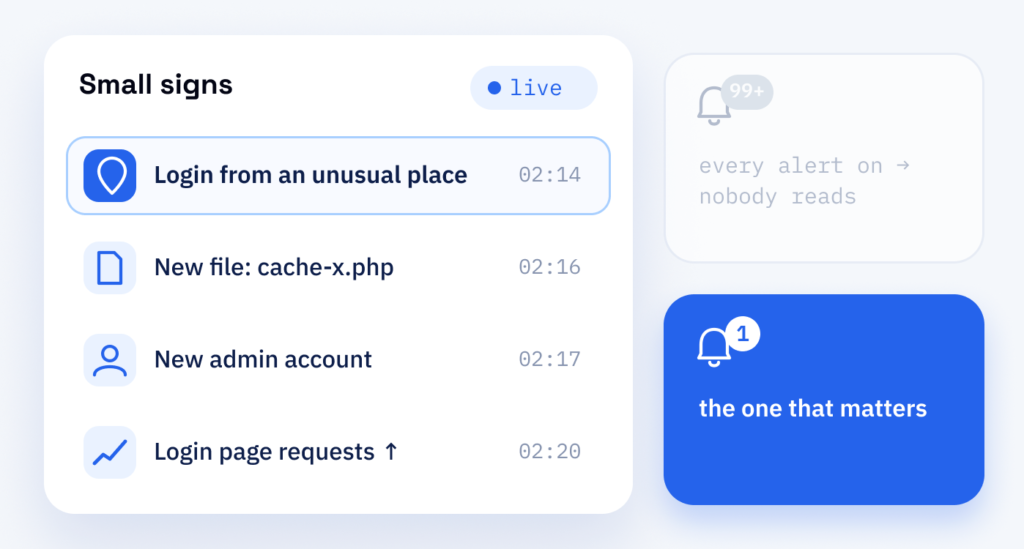
Switching on every warning a security plugin offers backfires. When alerts arrive all day, nobody reads them, and the one that matters gets missed.
An uptime check, which tells you whether your site can be reached, is no answer either, because the site can still look normal during an attack. An attack rarely takes a website down overnight. First come small changes: a login from an unusual place, a file nobody uploaded, a sudden rise in requests to the login page.
What we watch: logins and failed attempts, new or changed user accounts, changed files in WordPress, themes and plugins, and traffic to the login page and forms.
Cost
Pricing threat monitoring: size, checks, out-of-hours alerts
-
Size and checks
The size of the site and the number of checks. Together we work out what your site needs.
-
Outside office hours
Agree in advance how alerts are handled at night and at weekends, because that also shapes the cost.
-
Rules, summaries, active attacks
We keep looking after the rules and sending the regular summaries. If an attack is under way, actively fighting it off at Cloudflare is part of the Managed Service for Cloudflare. If the site is already affected, our response and recovery service takes on the clean-up, and its cost depends on the severity and depth of the attack.
After the alert
From alert to response
An alert is only half the job. Monitoring is linked to our response and recovery service, so a real threat is contained and your site restored without you having to explain everything again.
Part one
Monitoring
A continuous watch over logins, users, files and traffic, with rules set for your site.
- A baseline of normal activity on your site
- Alerts for new admins, changed files and login floods
- Every alert sorted into real threat or false alarm
Part two
Response
When a threat is real, a planned response limits the damage and returns your site to normal.
- Containment to stop further damage
- Clean-up and a restore from a clean backup
- A short report with the cause and next steps