
Where you stand
Where visitors get stuck is where UI/UX design starts
You can see that your website is doing less than you expected, but not why. Or you are building something new and want the structure settled before development begins.
- Fewer enquiries
- Enquiries drop and nobody knows why
- Confusing navigation
- Visitors get lost in your menus
- New product
- The structure has to be created from scratch
- Dated interface
- It looks old and slows down sales
How we go about it
The UX design process from research to handoff
UX sets how visitors move through your pages and reach their goal; UI defines how buttons, forms and typography look and respond. We start with your goals and your users and clarify user scenarios, information architecture (the order of your content and menus) and content hierarchy. Design begins only once this structure is in place. Each step ends with your sign-off, and because UX and UI are reviewed before development starts, the build follows a clear plan.
-
Research & analytics
Evaluating user research, market data and business requirements as the basis for everything else.
-
Sitemap & architecture
Setting the sitemap (the overview of all pages) and a clear navigation hierarchy.
-
UX wireframing
Sketching screen logic, content placement and functional flow.
-
UI concept & system
Setting the visual direction in your brand style and building the UI kit.
-
High-fidelity design
Working out layouts, forms and interactive states in detail.
-
Developer handoff
Delivering organised files with complete specifications for the build.
Staying in touch
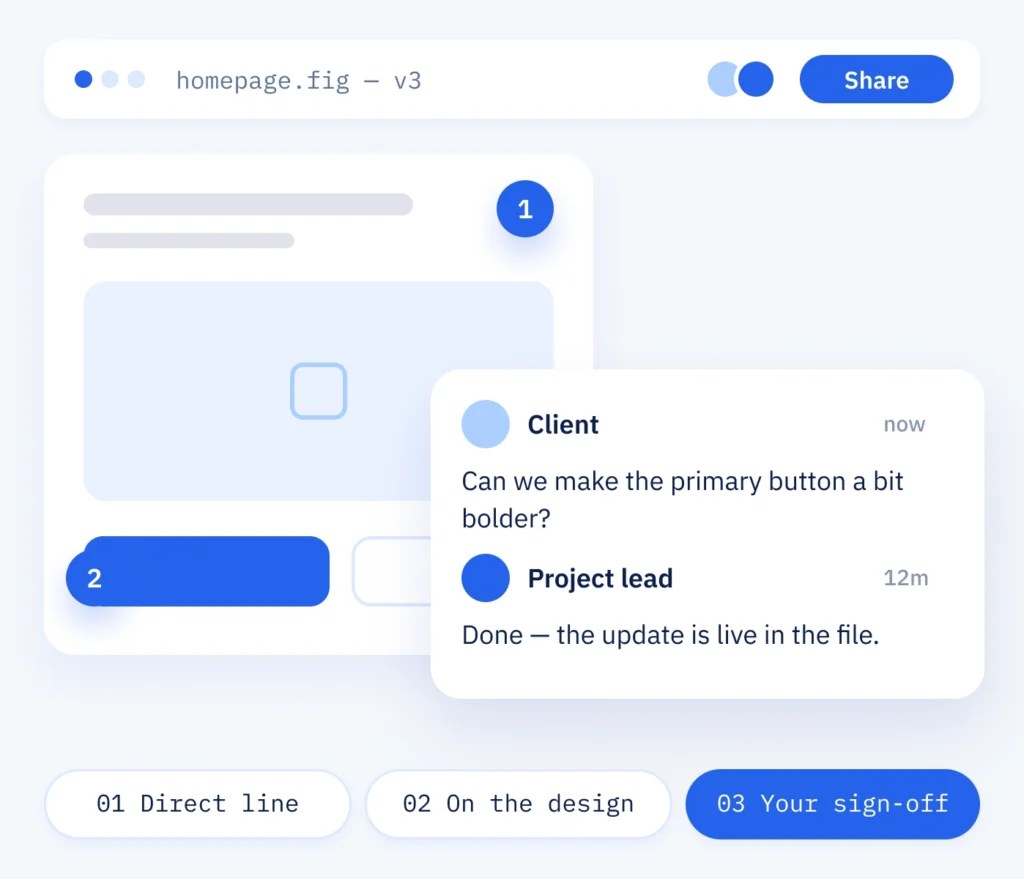
Progress by email or comments in Figma
You choose the route: progress notes by email, or comments right on the designs in Figma, which is a design program where your drafts sit. You know your customers and your business, so your view of each stage counts. You can follow the progress at any time and approve each stage once it feels right to you.
- A direct line to our team
- Comments straight on the design
- Your sign-off at every step
What is included
What a UX agency hands over at the end
Afterwards you can see more clearly where people stop, and you have the screens meant to remove those obstacles. That can make it easier for visitors to buy, book or get in touch.
The checked plan
- User scenarios and a clear page structure
- Designed screens for the key pages, in your brand style
- A clickable prototype checked with real content
- A shared link to the design, presented and walked through together on a call
The basis for the build
- A UI kit your developers work with
- Buttons, forms and cards as components, made once and used across all pages
- Fewer barriers in use: clear contrast, legible type sizes, generous tap targets and keyboard control
- Forms with a privacy notice and, where needed, a request for consent
The difference
UI/UX design at ScaleAble
Design and WordPress development sit with the same team. That is why we design interfaces that can be built, measured and extended.
-
Checked with development
Our developers review the screens while they are designed, so each one can be built as drawn.
-
Based on user paths
Behind each screen is a user scenario and the action that matters on that page: a booking, an order or an enquiry.
-
Reusable UI kit
You receive components with rules for their use. New pages then follow the same design, with no redesign and without starting over.
-
One team
Decisions and changes run through the same team from the first wireframe to support after launch.
The right order
First the page structure, then the colours
When a website no longer convinces people, new colours are the obvious thing to reach for. But colours and effects should wait until the page structure is settled: a polished surface cannot make up for a confusing structure, and visitors leave regardless. The other route begins with the user paths and removes the obstacles, whether someone is looking for a treatment, booking an appointment or sending an enquiry.
For Beauty Corner Rubin (Onyx Lashes GmbH), a beauty salon in St. Gallen, we designed a six-step booking form in the salon’s visual identity. A «Termin vereinbaren» button stays visible on every page, and treatments booked by phone show a call button instead.
After launch, our WordPress support takes care of keeping the components up to date.
Cost
Screens and research set the price of UI/UX design
-
Screens and research
The work depends on the number of templates and screens and how much research your project needs. We agree the scope before work on the screens begins.
-
The UI kit for later
How large the UI kit becomes depends on whether it also has to serve later pages. It pays to settle this before the quote, since it changes the scope.
-
Support after launch
After launch, support and further design rounds can be added for pages where visitors still drop off. The cost then depends on the number of those pages and the screens to be redesigned.
Design and development
A design that becomes a working website
You can keep UI/UX design and development together with us: the developers who build your website review the design from the start, so the screens can go online as drawn. Before launch we check the pages on a test copy of your website (staging), so you can check new work in your own time and sign it off before it goes public. After launch, the analytics show where things still go wrong.
Part one
Design
Research, flows, UI and a component system, planned for the build from the start.
- Screens for every key page
- Reusable components and styles for the developers
- The design presented and discussed on a joint call
Part two
Development
The approved design, built in WordPress with the same components and checked on the test copy before launch.
- Every screen built as designed
- Adapted to tablet and smartphone
- Checked on staging before the page goes live