
What you need
A shop for your team
Whether you are starting an online shop or replacing an existing one: we develop online shops on WooCommerce with product variants, Swiss payment methods, shipping rules, PDF invoices and gift vouchers. We set up your online shop in full, and where no ready-made extension exists, we develop the function for your shop. Your team adds products, changes prices and handles orders in the WordPress admin, the management area behind the shop, without calling us for daily work.
- Manual orders
- Orders still arrive by email and phone
- Hard to maintain
- The current shop is hard to keep up to date
- Drop-offs
- Customers give up during checkout
- Payment gaps
- TWINT or QR-bill are missing
Project flow
Your shop project from catalogue to launch
A shop touches products, prices, logistics and accounting. So we clarify these processes first, then develop, and go live only after test orders have run through payment, shipping and invoicing. Variants, attributes and categories are set up as clean data, so filters, shopping feeds and later marketplace integrations work.
-
Requirements
Products, customer groups, payment and shipping needs written down.
-
Catalogue
Categories, attributes and variants structured and imported.
-
Design
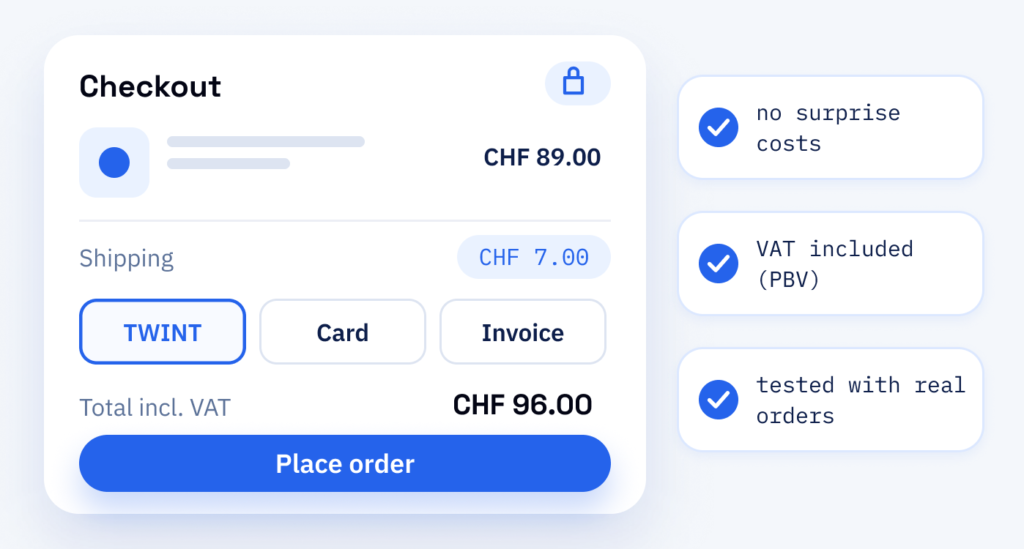
Shop pages, product pages and checkout in your brand. Shipping costs, delivery times and payment methods appear before checkout, so nobody gets a surprise at the last step.
-
Build & payments
Shop developed, payment methods and shipping rules connected.
-
Test orders
Test orders run through payment, email and invoice.
-
Launch
The shop goes live and your team is trained on the daily routines. You open your online shop only once every payment method has passed a test order.
Working together
Developed with your team
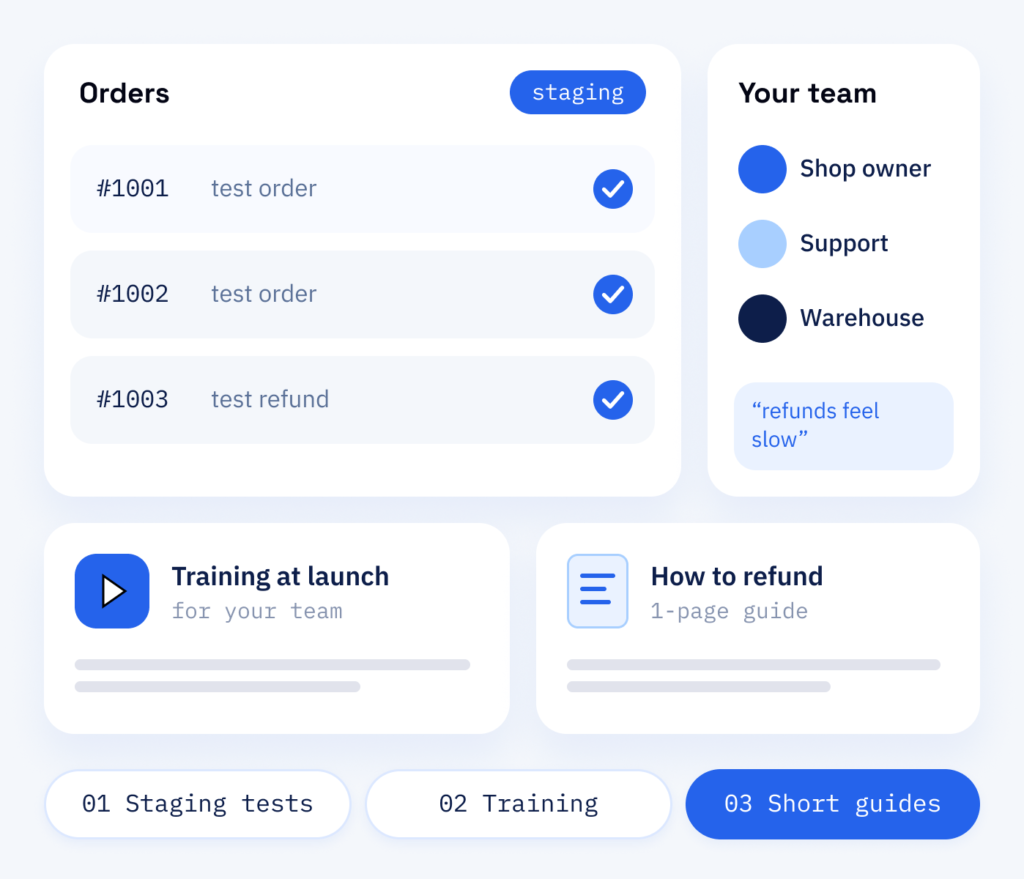
The people who will run the shop are involved from the start. Your team tries the admin on a test copy of the shop (staging), so no real order is affected, places test orders there and tells us what feels awkward.
For this we mainly need the products and customer groups, and we need to know how payment and shipping run today.
- Your team tests on staging
- Training at launch
- Short guides for daily work
Your benefit
Orders, handled automatically
If you want an online shop built, you mainly want to hand over work: the shop takes orders, collects payments, calculates shipping and sends invoices. Because it runs on WordPress, content pages and products sit in one admin with one login.
In the shop
- A WooCommerce shop with your catalogue set up
- Payment methods, shipping rules and PDF invoices configured
- A checkout checked with test orders, so your first sale is not the first test
- Costs that are visible before the last step
For your team
- Training and short guides
- Orders and refunds handled directly in WordPress
- A new product or price change as routine in the admin
- Routine work your team then does without us
What you can expect
WooCommerce shops from ScaleAble
Our WooCommerce development services stay with one team, from the catalogue to care after launch. For Swiss companies, we build Swiss requirements into every area from the start. For Onyx Lashes GmbH, a supplier for lash studios in St. Gallen, we developed a shop in German, French and Italian, with 144 products per language as of October 2026. What a specialist shop can show when customers compare it with low-price platforms is covered in our guide to Temu competition.
-
Swiss payments
TWINT, QR-bill and cards are checked before launch with test payments and a refund.
-
Two price lists
After a check of their UID, the Swiss company number, firms see net prices and everyone else gross prices, in the same catalogue. At Onyx Lashes GmbH that means up to 98 variations on one product.
-
Updates without loss
Custom features live in separate plugins (add-ons for WordPress) and in a child theme, a layer of its own on top of the design, so WooCommerce updates do not overwrite them.
-
Old links kept
When a shop moves, old product and category addresses redirect; at Onyx Lashes GmbH there are 195 of them, with order history back to 2016.
Which route fits
Not every wish needs its own plugin
Do not install a separate plugin for every wish. Each extra plugin loads code on every page and adds one more update to check.
We first clarify whether a setting in WooCommerce does the same job, and tell you openly. A custom feature makes sense for a process no setting can map: at Onyx Lashes GmbH, a switch in the shop changes prices between business and private customers, and the business check runs through the UID register.
Whichever route you take, we check the checkout with test orders, because customers can like your products and still leave at the last step. Unexpected shipping costs, an unfamiliar payment method or one form field too many are enough. That is why shipping costs appear before checkout, the payment methods are the ones your customers know, and every required field has a reason. Prices for private customers include VAT, as the Swiss price disclosure ordinance (PBV) requires.
Cost
What an online shop costs
-
Your range and your rules
Products and variants, payment and shipping rules, trade prices and whether an old shop moves over. Tell us what your shop should be able to do.
-
Easy to overlook
Redirects for old product addresses during a move, test payments with a refund and training for your team. They belong in the plan from the beginning, even though nobody sees them in the finished shop.
-
Once the shop runs
Updates, backups and test orders run through the maintenance plan, because payment providers and WooCommerce keep changing. Payment providers charge their own fees, which we check with test payments before launch.
Beyond launch day
Long-term care for your shop
Payment providers change their interfaces, WooCommerce releases updates and shipping rules move. Update rounds and larger versions go to the test copy first and live once you are happy with them, small adjustments straight to the live shop. After an update round we place a test order to check that checkout, payment and invoice still work. Scope and cycle are set out in our WordPress maintenance plan.
Part one
Store setup
Catalogue, design, payment and shipping: a complete WooCommerce shop, checked with test orders so that launch day brings as few surprises as possible.
- Products, variants and categories set up
- Swiss payment methods and shipping rules connected
- Test orders from cart to invoice
Part two
Care and updates
The same shop kept current, backed up and checked after each update round.
- Update rounds and larger versions on the test copy first, small adjustments straight to live
- Backups of products, orders and customer data, with a tested restore
- A test order after each update round