
Signs to look for
When customers report the outage to you
An outage nobody notices can last for hours: no orders, no enquiries and a poor impression on everyone who tries to visit. If one of our checks fails, the people you have named get an alert, and we start on the repair.
- Customers tell you
- Customers tell you the site cannot be reached
- Unreliable hosting
- Your hosting has gone down more than once
- Unclear causes
- Outages happen, but nobody knows why
- Ads still running
- Ads keep running while the site is offline
How it runs
What happens after an alert
Monitoring is only as good as what happens after the alert. We set up the checks and agree who is told and what happens next. During an outage, bringing the site back comes first; the search for the cause starts once visitors can use it again. Then we document the incident with its cause, so patterns become visible and recurring problems can be solved at the root.
-
Checks setup
Key pages and functions chosen and monitored.
-
Alert routes
Who hears about what, and through which channel.
-
Incident steps
Clear first actions for common outages.
-
Fix
Site brought back online, cause narrowed down.
-
Report
Outage, duration, cause and fix documented.
-
Improvements
Changes that make the same outage less likely.
Agreed with you
We decide together who gets told
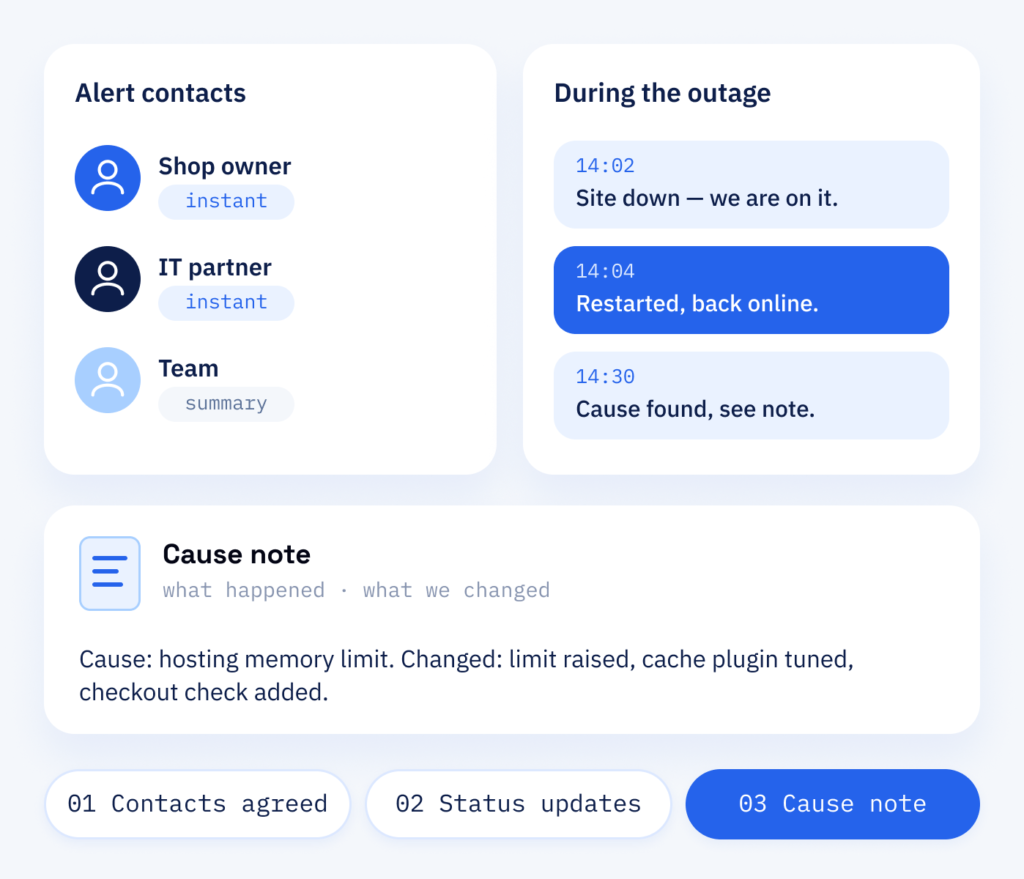
Together we settle who is told about an outage and for whom the regular summary is enough. During an outage you get short status updates, and afterwards a clear note on the cause and what we changed. Monitoring is part of the maintenance plans in our WordPress support, so the checks grow with your site whenever it gains new pages or functions.
- Alert contacts agreed with you
- Status updates during an outage
- A clear note on every cause
What it does for you
Outages reported, fixed and documented
Website monitoring shortens the time between the outage and the moment someone hears about it. The reports also show you whether outages are becoming rarer.
Day to day
- Regular checks of your key pages
- Alerts to agreed contacts when something fails
- Clear steps for common outages
- Checks of checkout, booking and contact, not just of the server
Looking back
- Reports on outages, causes and fixes
- A short note on what happened and what changes
- Visible patterns when the same problems return
- Documented changes after each incident
What sets us apart
What ScaleAble adds to uptime monitoring
An alert alone fixes nothing. Here, people who know your website and its hosting pick it up and can start on the fix themselves. The websites and shops in our case studies show which WordPress code we look after.
-
Checks beyond the ping
Instead of only testing whether the homepage answers, we can check that key pages load their content and the shop responds.
-
Clear responsibility
Each alert route has a fixed owner, so no outage waits for someone to feel responsible.
-
Fix, then improve
After an outage we look at the cause and change what is needed, so the same fault is less likely to come back.
-
Hosting and code
We know both server and WordPress code, which lets us tell a hosting problem from a broken plugin.
What gets checked
Check the key pages, not just the homepage
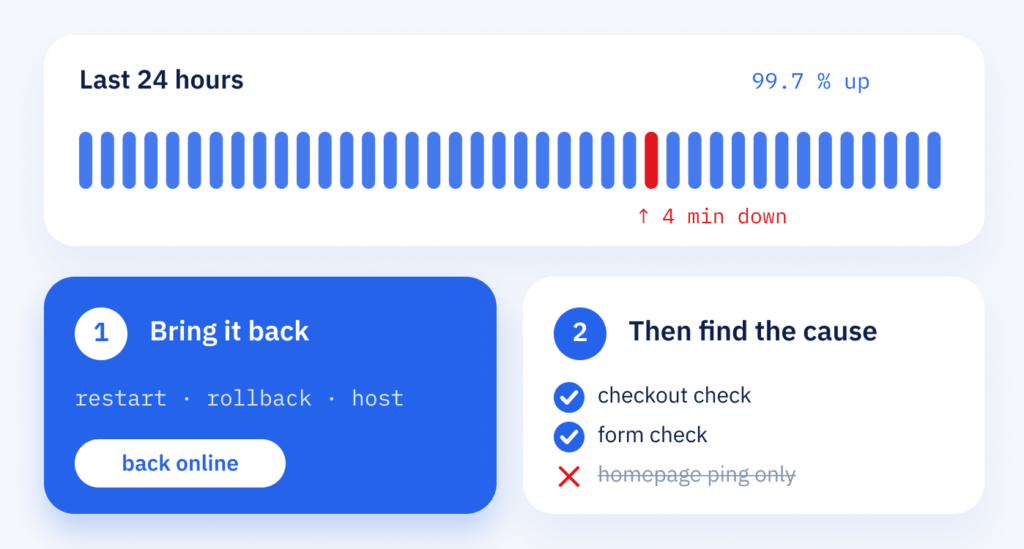
A simple ping of the homepage, a request that only tests whether the server answers, is not enough as the only check. It reports the server as reachable even though the checkout or contact form stopped working long ago.
When a site is down, the first question is not why, but what brings it back: a restart, a rollback (going back to the last working version) or a call to the provider of your WordPress hosting. Every hour offline can cost enquiries and orders. The reasons come next, so the same outage is less likely to happen again.
The cost question
Monitoring in your budget: what to plan for
-
Pages and alert routes
The cost depends on the pages and functions we check and the alert routes you want. That way we know about an outage before your customers notice.
-
Response when it happens
The response after the alert belongs in the plan as well. So agree in advance which steps apply when something fails and which of them are part of the job.
-
New pages and functions
New pages and functions need checks of their own. Monitoring is also part of the maintenance plans, so we sort it out together with updates and backups.
After the alert
This is where the real work starts
If a check fails, it is picked up by people who know your website and follow the agreed steps to bring it back online.
Part one
Monitoring
Automatic availability checks of the pages your business depends on.
- Checks for homepage, shop and key pages
- Alert routes to agreed contacts
- Documented steps for common outages
Part two
Response
A failed check lands with people who know your website and its hosting.
- Cause narrowed down: server, plugin or code
- Site repaired or rolled back to the last working version
- A short note on what happened and what is changing