
Typical cases
API connections for your systems
Your website collects leads, orders and bookings, and then someone types them into the CRM (your customer management), the ERP (your stock and order management) or the accounts. We connect WordPress through each system’s API, the defined interface of that system, so the data arrives in the right format and you can look up every transfer.
- Retyping
- Form entries are copied into the CRM by hand
- Stock differences
- Stock levels differ between shop and ERP
- Files back and forth
- Orders are exported and imported as files
- Silent failures
- Nobody notices when a transfer fails
The project
A WordPress API integration, step by step
We map your process with the people who carry it out every day and read the API documentation before promising anything. The connection goes live only after copies of real records have run through without errors.
-
Process mapping
Who enters which data, where it goes and when.
-
API review
Documentation and limits checked for each system, as well as authentication, the way a system identifies itself.
-
Data model
Fields matched between systems. For each piece of information we decide which system holds it, so prices, stock or contacts are never edited in two places.
-
Development & error handling
Connection developed. APIs can stop answering for a while, change or fail, so we plan retries, queues and notifications to make it unlikely that a short outage loses data.
-
Real-data test
Sample data rarely reveals edge cases. Copies of real records, where your data protection rules allow it, run through the full flow on a test copy of your website (staging), with umlauts, long names and empty fields. That way such cases show up before launch.
-
Launch & logs
Connection switched on and watched closely at first.
Who brings what
We handle the technical side
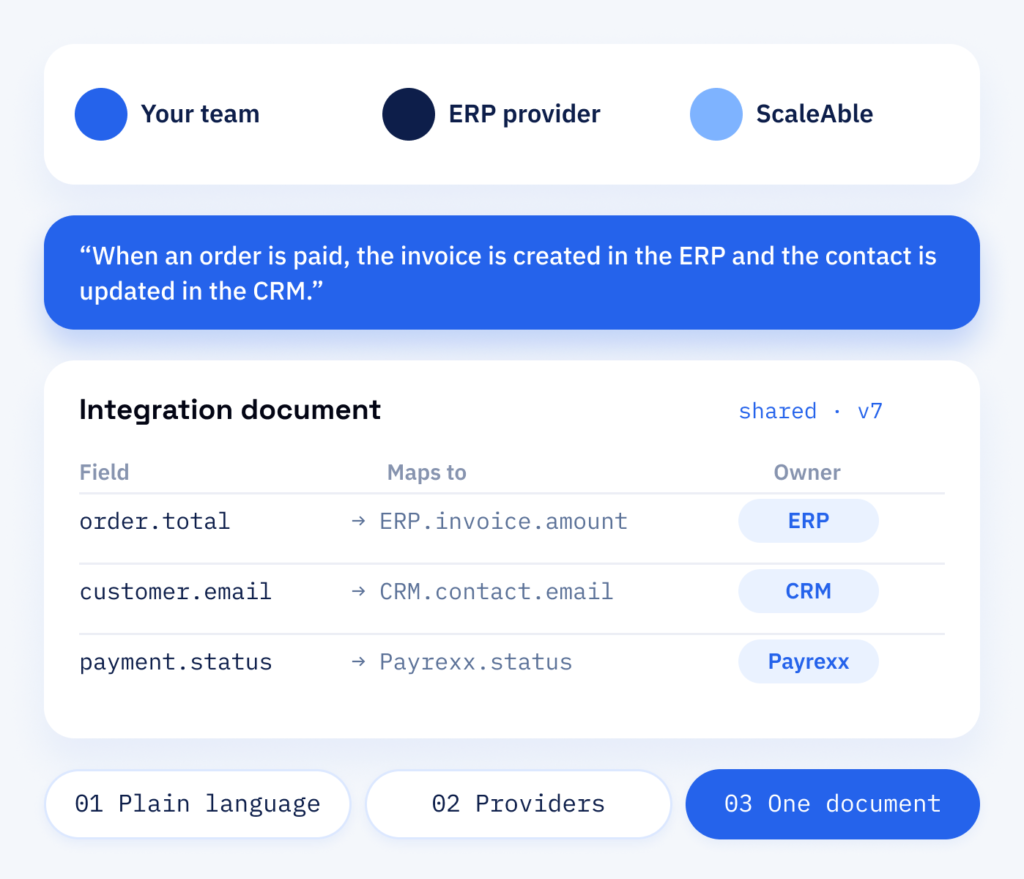
Nobody knows your workflows better than the people who carry them out every day. Your team brings that knowledge, and we look after the rest: in short calls we bring those people together with your system providers and settle the data flow in plain language. Every field and contact goes into one shared document.
- The data flow in plain language
- Direct contact with your providers
- One shared integration document
The outcome
Automate routine data entry
When systems share data automatically, orders go straight to the warehouse, leads arrive in the CRM with their source and invoices match what was sold. Your team copies less data between applications and can see in the log when a transfer fails.
What goes into the connection
- Fields that match on both sides
- Documented API calls
- Retries and clear notices on errors
- Credentials in protected settings
What you receive
- A documented map of every data flow
- API connections as a maintainable plugin
- Error handling with logs and notifications
- Tests with copies of real records
Why it helps
Why ScaleAble for API integrations
We develop integrations as WordPress plugins with logs and a settings screen your team can maintain.
-
Process before code
We settle who needs which data and when before writing a single request, so the integration solves the real bottleneck.
-
Visible when it fails
Every transfer is logged, and a failed one triggers a notification instead of disappearing silently.
-
Credentials kept safe
API keys, the passwords of a connection, sit in protected settings and never in the code store (repository), and each connection gets only the rights it needs.
-
Easy to maintain
A settings page in the admin lets your team change keys and options without touching code.
The real cost
The hidden cost of manual data entry
Retyping orders and contacts by hand takes time and invites errors. Over time, even small typing mistakes lead to wrong invoices, deliveries or customer records. Exporting and importing files saves the typing but is still manual work. An integration takes over these repeated transfers, so your team can focus on the cases that need a decision.
One rule matters whichever way you connect: decide which system holds the data before you synchronise it in both directions. When two systems overwrite prices or stock, conflicts arise that can no longer be traced.
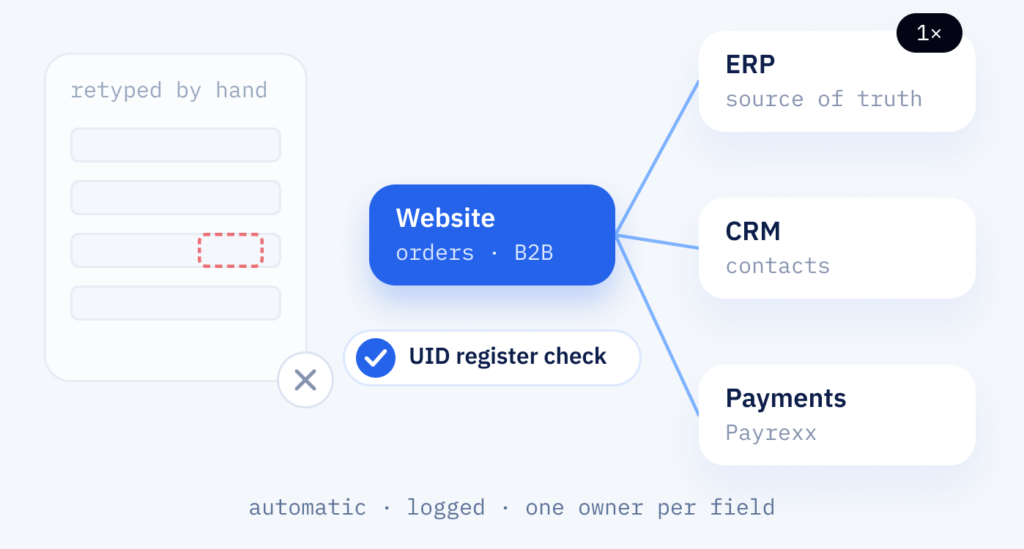
Onyx Lashes GmbH shows what connections in a shop can look like: net prices for businesses are released only after an automatic check against the Swiss federal UID register, and payments are processed through Payrexx. Both connections are part of our own B2B plugin.
Cost
How an API integration is priced
-
Systems and data flows
The number of systems and data flows, the extent of the error handling and whether ongoing monitoring is included. We settle the scope together.
-
Failures on the other side
Outages at the other system and odd cases in the data get underestimated. So retries, queues and tests with copies of real records go into the plan from the start.
-
Monitoring and API changes
Watching the connection and adjusting it when an API changes both carry on through WordPress support after launch.
In operation
Integration and monitoring
Integrations depend on systems you do not control: an API changes, a password expires, a provider updates its format. Where monitoring is part of the job, we watch the connection and react when something stops flowing, and our WordPress support keeps the plugin up to date.
Part one
Integration
A documented connection between WordPress and your other systems, with error handling included.
- Data mapping agreed and documented
- Connection as a WordPress plugin with settings
- Logs for every transfer
Part two
Monitoring
The same connection watched in daily use, so a failed transfer is noticed early and fixed.
- Alerts when transfers fail or stall
- Checks after updates on either side
- Adjustments when an API changes