
Sound familiar?
WordPress website development
Blogs, magazines, knowledge bases and content-rich company sites need a structure that grows with every article. We model your content with custom post types, content types made for your site, and input fields (ACF fields). Articles, guides and team pages each get the fields they need, and your editors publish in the block editor without touching the layout.
- Too many steps
- Publishing a post takes too many steps
- No common look
- Every article looks a little different
- Buried content
- Older content is hard to find on the site
- Old system
- The current system holds your editors back
The project
Your content website in six steps
We develop content websites from the content outwards: first what you publish and how often, then the templates around it. The project ends when your editors publish a complete article on their own. This service is part of our web development services.
-
Content Model
Content types, fields and relations defined with your team before any page is designed, because the structure decides how far the site can grow.
-
Structure
Navigation, categories, tags, internal links and URLs planned so that older articles are as easy to find as this week’s.
-
Templates
Templates for articles, archives and overview pages, with line length, font sizes and spacing set for long reading on phone and desktop.
-
Build
Post types, fields and blocks developed on a test copy (staging), so your running website stays untouched.
-
Migration
Existing content moved over, old URLs redirected.
-
Editor Training
Your team publishes its first article on the new site.
With your editors
Planned around your editorial routine
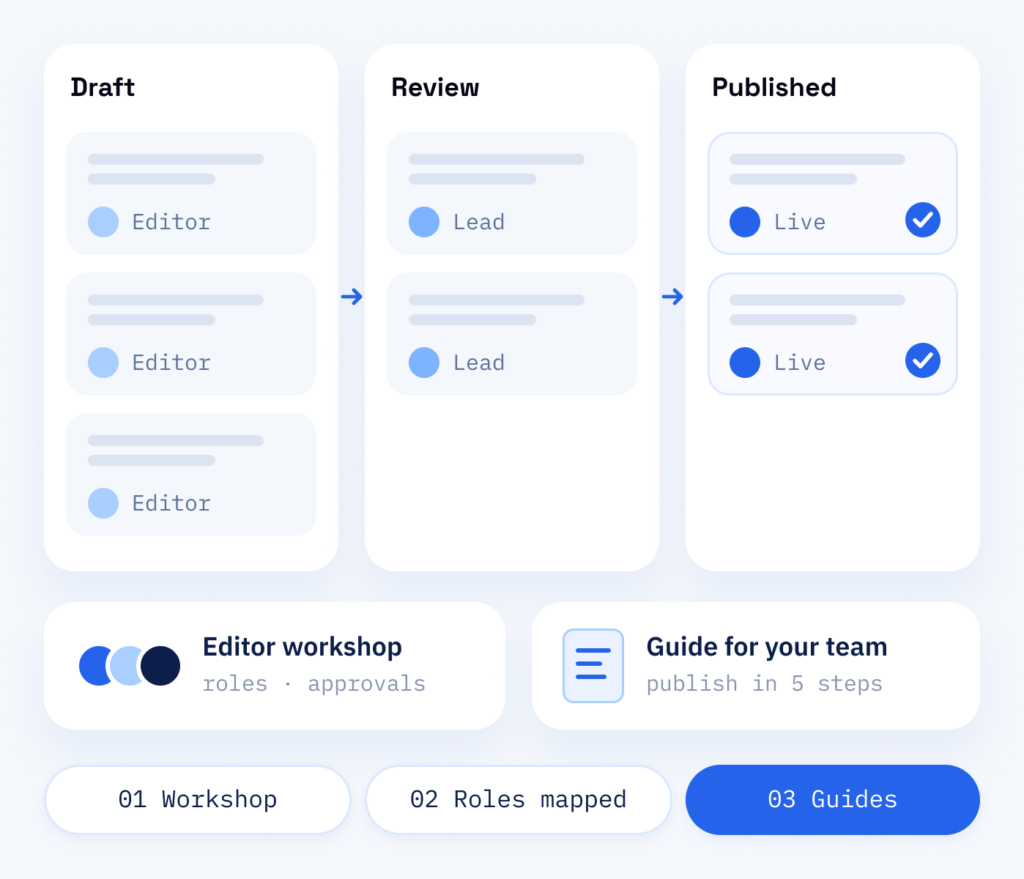
Before development starts, we sit down with the people who publish at your company. Your team describes how drafts move, who approves them and which pages change often. The fields, roles and templates come out of that, so the site supports the routine your team already has.
- Workshop with your editors
- Roles and approvals mapped
- Guides for your team
What is included
What your editors get
Every article you publish is a page that can be found, shared and linked. A site set up for publishing keeps that work consistent: the right fields, clear templates, structured data for search engines and AI assistants, and categories that keep large archives easy to browse. Newsletter and comment forms carry a privacy notice and, where needed, ask for consent.
In the daily routine
- A content model with custom post types and fields
- Templates for articles, archives and categories
- One look for every post
- Publishing without developers
For search
- Existing content migrated, including redirects
- Yoast SEO, a plugin for the search settings, and structured data set up
- Categories, tags and internal links according to plan
- Older articles that can still be found
What you can expect
ScaleAble for content websites
We plan the site around how your content is written, approved and found, so publishing stays simple as the archive grows.
-
Fields for every post
Author, summary and related posts come from fields, so every article looks right without anyone styling it by hand.
-
Ready for AI search
Structured data and an llms.txt file, a text file for AI systems, help search engines and AI assistants understand what each page is about.
-
Moving without lost links
Old URLs are recorded and redirected during migration, so links, bookmarks and search results still reach the right page.
-
Two languages ready
With Polylang, a plugin for multilingual websites, an article can appear in German and English, with the translations linked to each other.
The options
First the content model, then the design
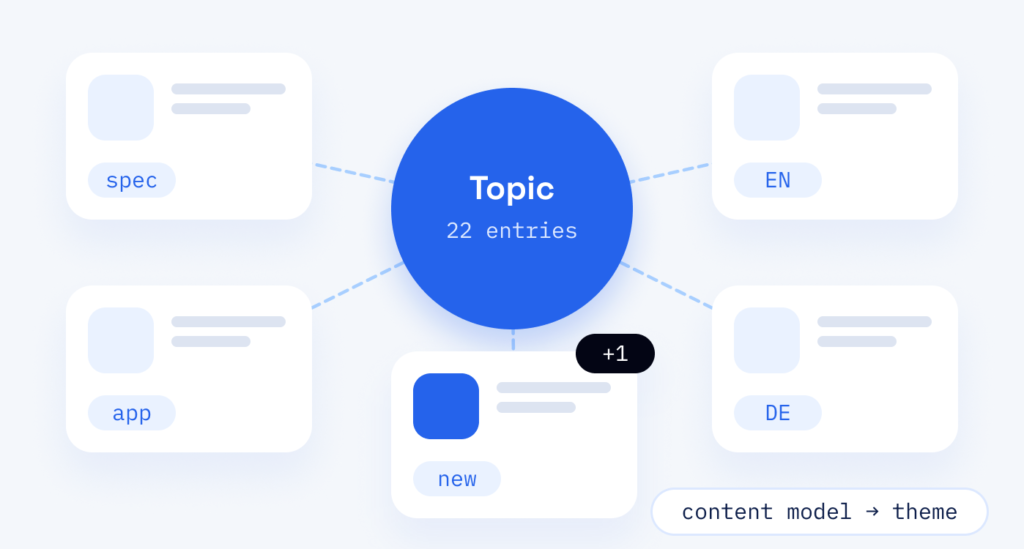
Do not choose a design first and fit the content in later, because every new content type then needs new templates. We settle the content model first and only then come to the theme, the design template of the website.
Resea Biotec GmbH, a bioprocess distributor in Recherswil, shows the benefit: as of October 2026 it has 22 products and 16 application pages in German and English, sorted by their specifications and with an enquiry form on every product. New entries use the same fields, so the catalogue grows without a redesign.
That is the point of a content website: every new article or entry can strengthen the existing ones through shared topics and links, long after a campaign has ended.
Cost
Budgeting for a content website
-
Content types and languages
The number of content types and templates, the migration of existing content and the languages.
-
Two things planned too late
The redirects for all old URLs and the training of your editors. They decide whether existing links still work and whether your team can run the new website on its own.
-
Beyond the launch
Hosting and any premium plugins or themes remain ongoing costs, and updates and backups go through the maintenance plan. If you do not write your articles yourself, topic planning and texts come on top.
Content and website
Structure and editorial plan
We plan the structure of the site and the editorial plan together. RankExperts, our brand for SEO and AI search as well as content, plans the topics and writes the articles, so every new post finds a place that was planned for it. After launch, updates and backups run through our WordPress maintenance plan. We make small corrections directly on the live website. Update rounds and larger versions go to the test copy first and then live, once you are happy with them.
Part one
Content website
A WordPress site with a clear content model, templates and an editor that makes your team’s work easy.
- Custom post types and ACF fields for each content type
- Templates for articles, categories and authors
- Existing posts migrated and old URLs redirected
Part two
SEO & content
Keyword research and an editorial plan that turn the new structure into articles people search for.
- Topics and questions your audience searches for
- An editorial plan mapped to your categories
- Articles written, optimised and published for you